
Learn Herald
From who it’s for to a working IDE loop — setup, expected responses, and screenshots from the live product.
Install a job pack, hook an event source, connect a scoped MCP key. Your agent reads the inbox and sends structured alerts — without a custom MCP server.
- 1Event sourceWebhook → inbox
- 2Your agentFew scoped MCP tools
- 3Structured alertDiscord · Slack · PagerDuty
Setup walkthrough
Click each step (or let it auto-advance). Every step shows what you do and what a correct response looks like.
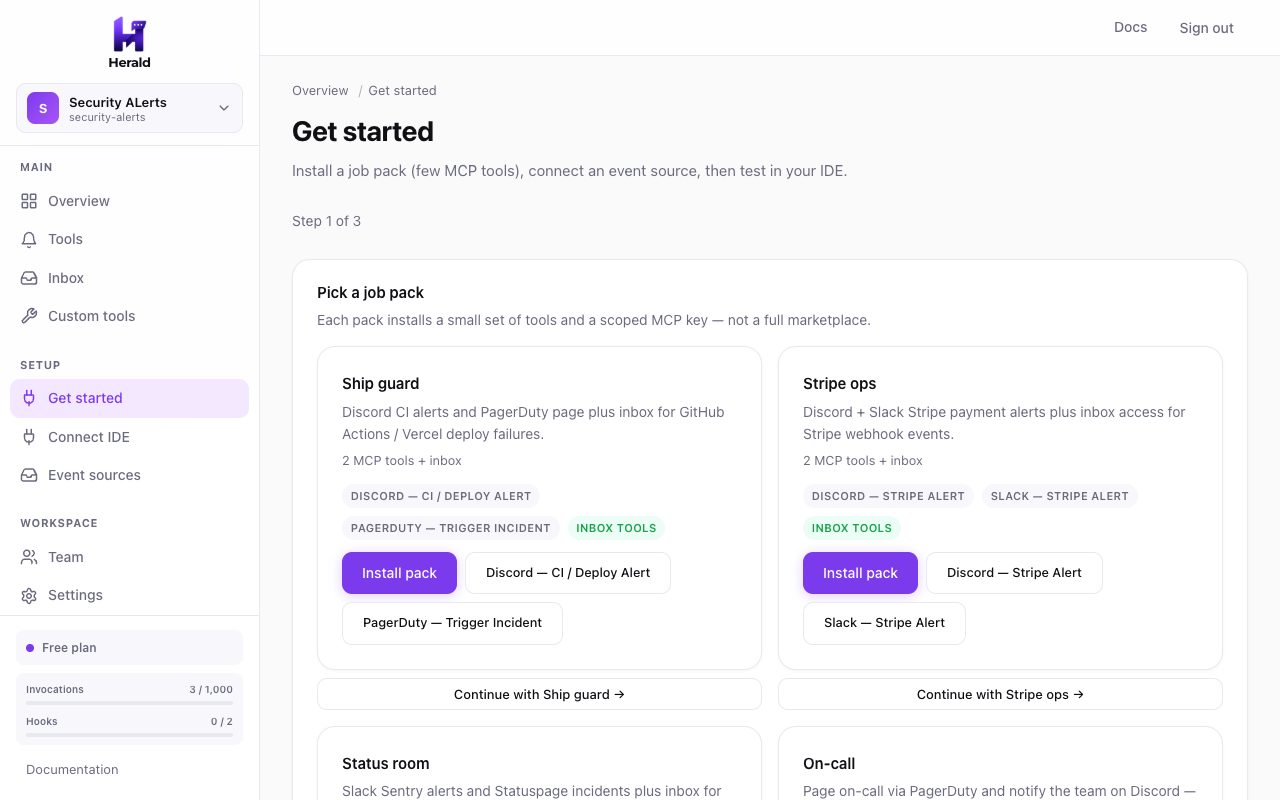
A job pack is a ready-made kit for one ops job — a few MCP tools and a scoped key.
What you do
- Open Get started (or Alerts) in your workspace
- Pick Ship Guard, Stripe Ops, Status Room, On-call, or Web3 Watch
- Confirm the pack — Herald creates tools + a scoped key
What you should see. You see the pack tools listed and a key that can only call those tools (plus inbox if the pack allows it).
Follow the ops loop
Recommended path for a first workspace.